Overlay
Fraud guide

Social engineering

Top tips to stay safe

Social engineering is when scammers trick people into giving away personal information. They want passwords, bank details, to install harmful software on your computer or to convince you to send them money.

  • Don't open suspicious emails: if an email looks odd, don’t open it or its attachments. If you’re unsure about the sender, do a quick Google search to check if they are real.
  • Update your security software: keep your antivirus and antimalware programs updated. Make sure they are working and scan your computer  for possible infections.
  • Verify requests for information: if you get a message asking for passwords or financial information, check with the company directly. If the message was from a friend, give them a call to make sure it really is them.
  • Beware of great offers: if something seems too good to be true, it probably is. Be careful when it comes to bargains.
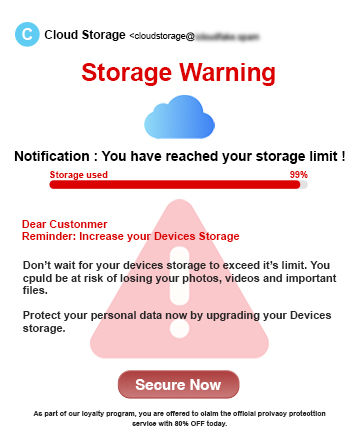
Scam email impersonating a cloud storage provider, warning that storage is almost full and urging the recipient to increase their storage to avoid problems.

Social engineering example

This fake email example shows how criminals use different tactics to steal someone's money and personal information. These tactics are also used in text messages. In addition to the three tactics below, look out for other warning signs, such as poor grammar and spelling and fake logos.

Things to look out for

  • Too-Good-to-Be-True offers: scammers appeal to people's interest in a bargain or free item. They may ask for your bank details to send an item that never arrives.
  • Messages on social media: fraudsters can hack into your friends accounts pretending to be them and attempt to take personal information from you.
  • Impersonating people with authority: fraudsters usually start by building trust with you pretending to be a co-worker, police, bank and even HMRC to trick you into giving away personal details.
  • Fake infection alerts: you might get calls, texts, or pop-ups telling you your device has a virus. They might prompt you to install harmful software that steals your data.


Did you find this article helpful?

Great, thank you for your feedback

Looking for other ways to protect yourself from fraudsters?

Strengthen your knowledge with our fraud and scams guide.

Can you tell us why?

Thank you

Your feedback helps us to understand where we can improve.

Thank you

Your feedback helps us to understand where we can improve.

Thank you

Your feedback helps us to understand where we can improve.

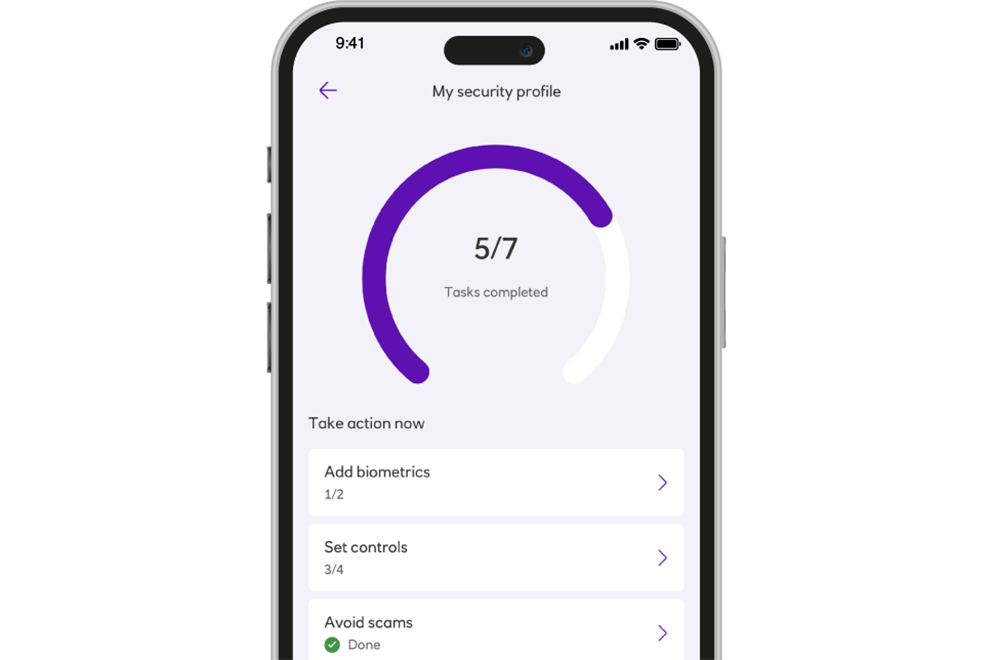
See why My Security Profile has over 11 million visits

With so many visits to My Security Profile, it's clear that people like you are putting their security first.

Personalised steps to protect yourself are just a few taps away.

Ready to experience it for yourself?

Other guides to keep your money secure

Impersonation scams

These type of scams involve criminals pretending to be a trusted organisation such as a bank, the police, a government department or a service provider.

Information Message

Investment scams

Scams targeting your investments.

Information Message

Social media scams

Scammers can use social media to steal your details, promote fake products and services or contact you to trick you into sending them money. 

Information Message

Telephone call scams

Learn more about phone scams and ways to prevent a scammer taking any of your information over the phone.

Information Message