
Overlay
Packaged bank accounts

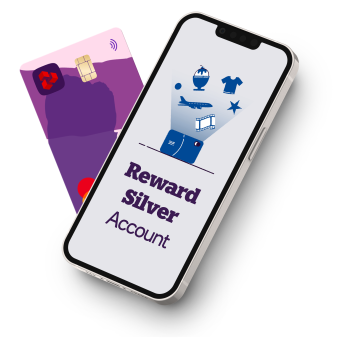
Upgrade to a NatWest Reward Silver account

Current account switch guarantee logo

Reward Silver has a £12 monthly fee. To apply you must be an existing current account customer.

What is the NatWest Reward Silver account?

NatWest Reward Silver is a current account packed full of useful extras. As the name suggests, it could make your everyday banking a little more rewarding.

For a monthly fee of £12, you get access to a range of fantastic perks which could be great for staying in, going out or getting away. Enjoy everything from cinema discounts to European travel insurance.

You can also access monthly Rewards that you can spend, use to buy gift vouchers and e-codes or even donate to charity. 

Our Reward Silver account

£12 monthly fee.

  • Earn £4 in Rewards every month, plus access to partner retailer offers.
  • Enjoy European travel insurance, including cancellation and emergency medical cover for trips up to 22 days.
  • Protect your mobile phone with mobile phone insurance.
  • Get support when you need it with 24/7 Virtual GP and Mental Health support.
  • Travel with confidence with a travel eSIM and airport discounts through DragonPass Premier+.
  • Save on cinema trips and eating out with tastecard discounts.
Information Message

Terms and conditions apply. Specific benefit criteria, limits and exclusions may apply.

Our Reward Silver account

£12 monthly fee.

  • Earn £4 in Rewards every month, plus access to partner retailer offers.
  • Enjoy European travel insurance, including cancellation and emergency medical cover for trips up to 22 days.
  • Protect your mobile phone with mobile phone insurance.
  • Get support when you need it with 24/7 Virtual GP and Mental Health support.
  • Travel with confidence with a travel eSIM and airport discounts through DragonPass Premier+.
  • Save on cinema trips and eating out with tastecard discounts.
Information Message

Terms and conditions apply. Specific benefit criteria, limits and exclusions may apply.

How do rewards work?

Get rewarded for your everyday banking:

  • You can earn £4 in Rewards a month for two Direct Debits of £2.
  • Earn even more Rewards when you spend with our partners. Offers change every two weeks.
  • Exchange your Rewards for money, e-Gift codes, points or donate once your Rewards balance is £5

Your benefits in detail

Insurance & Protection

European travel insurance

Do you love to travel? This account offers European travel insurance that covers you for up to 22 days per trip. The policy also includes winter sports cover (underwritten by AWP P&C SA and administered by AWP Assistance UK Ltd trading as Allianz).

Mobile phone insurance

When bad things happen to your mobile, you need good cover. Our mobile phone policy covers loss, theft, accidental damage and breakdown (once your manufacturer’s warranty has expired). Underwritten by Aviva Insurance Limited.

Health & Wellbeing

Health benefits

Prioritise your health with support that fits your life.

Travel Perks

Travel eSIM

Stay connected while travelling with a complimentary 3GB eSIM each year for use abroad. Provided by Assurant (a trading name of Lifestyle Services Group Limited) and DragonPass International Limited.

Airport discounts

Enjoy discounted access to airport lounges worldwide for £25 per visit, plus savings on airport dining, spa treatments, and wellbeing services through the DragonPass Premier+ app.

No Foreign Transaction Fees

Use your card with confidence when you travel.

Lifestyle

tastecard

Enjoy discounts and offers at participating restaurants, coffee shops and cinemas across the UK.

Switch to NatWest

Why not switch your current account to NatWest, we'll do all the hard work for you and you'll barely need to lift a finger.

Want to learn more about packaged bank accounts?

We have a range of packaged bank accounts with different insurance and lifestyle benefits. If you're looking for worldwide travel insurance or car breakdown cover then check out our Reward Platinum and Reward Black accounts.

Monthly fee and eligibility criteria apply.

Ready to upgrade your account?

To make sure this account is right for you, please take the time to understand the benefits of the Reward Silver account and how you can earn and exchange Rewards.

Exclusions, limitations and excesses apply to the insurance benefits. Please ensure you read more about these policies before you apply.

Not sure yet? Compare our current accounts.

How your information might be used

It's important for you to understand how we use and share your information. Please read this short summary before you continue with your application.

Change your account today

Before we begin your application for a Reward Silver account, we need to do a few final checks with you. First things first. You can apply if you:

  • are aged 18 or over and a UK resident
  • already have a NatWest current account
Do we already know you?
If you have a current account, credit card, loan or savings account with NatWest please let us know.

Compare our current accounts

We're sorry but you must have an existing NatWest current account to upgrade to a Reward Silver.

Our Select and Reward accounts are available to new customers. If you still like the look of our Reward Silver account you can come back and upgrade later.

Do you have our app on a mobile device?
You can apply using either the mobile app or online banking. The mobile app is easier and quicker as we can prefill some of your information.

Here's a few steps to get started

If you're already using a device with the NatWest app, select the 'Start application' button below.

You will need the most up to date version of the app, to make changes to your account. 

To open a new account: 

  1. Once logged in to the app, choose 'Apply' and then current accounts. 
  2. Then choose what type of account you would like to open.

To change your account type or switch into your existing account: 

  1. Once logged in, click into the account you wish to change or switch.
  2. Choose either the 'Change my account type' or 'Switch my account' option. 

Can't scan the QR code?


Do you have NatWest Online Banking?

Log in to Online Banking

  1. Enter your customer number or 16-digit card number to get started. 
  2. You'll then need to enter your Online Banking pin and password.
  3. Once you're logged in follow the below

To open a new account:

  1. Select 'Current accounts' from 'Our Products'. 
  2. Choose the account you want to apply for and complete your application.

To change to a different account type or to switch into your existing account: 

  1. Choose the account you wish to change or switch, click 'Account details'. Then choose either the 'Switch to us form' or review the section 'Want to change to a different type of current account?' to begin your application. 

Sign up for Online Banking

You’ll need to sign up for Online Banking with us to apply for a current account. The good news is that it normally takes only 5 minutes and all you’ll need is your sort code, account number and your NatWest Debit Card, if you have one.

Select ‘How to register for Online Banking' to start.  

Once you’ve registered, select ‘I am now signed up’ to log in and apply for a  account. 

Log in to NatWest Online Banking

  1. Enter your customer number or 16-digit card number to get started. 
  2. You'll then need to enter your Online Banking pin and password.
  3. Once you're logged in follow the below

To open a new account:

  1. Select 'Current accounts' from 'Our Products'. 
  2. Choose the account you want to apply for and complete your application.

To change to a different account type or to switch into your existing account: 

  1. Choose the account you wish to change or switch, click 'Account details'. Then choose either the 'Switch to us form' or review the section 'Want to change to a different type of current account?' to begin your application. 

Forgotten your Online Banking Details?

If you've forgotten your log in details, don't worry, select 'Reset my Online Banking' for further instructions. 

How to download and apply via the app

First, download the app:

  1. On your mobile or tablet, open the camera and point your device at the QR code.
  2. Follow the link that pops up to download the app.
  3. Use your details to log in and follow the below.

To open a new account:

  1. Once logged in to the app, choose 'Apply' and then 'Current accounts'. 
  2. Then choose what type of account you would like to open.

To change to a different account type or to switch into your existing account:

  1. Click into the account you wish to change or switch, then select 'Change my account type' or 'Switch my account' to begin your application.

Can't scan the QR code?

Available on selected devices.