Overlay

Children's bank account

Our Adapt bank account is built for kids and teens

  • Get a £20 gift card when you open an Adapt account.

This account is available to 11-17 year olds who are UK residents. 11-15s must apply with a parent or guardian who has a NatWest current account. Offer T&Cs and restrictions apply.

Offer available now

A £20 gift card could be yours

Help your child take their first steps towards managing money.
 
  • Open an Adapt account.
  • We’ll email and text you a £20 gift card code within 30 days of your account being opened.
  • Exchange the code for a gift card from a range of popular retailers.


Adapt Gift Card T&Cs 2026 (PDF, 242 KB)

Available to those who open an Adapt account from 24th August 2026. Existing Adapt account holders are not eligible. This offer may be changed, replaced or withdrawn at any time.

Offer available now

A £20 gift card could be yours

Help your child take their first steps towards managing money.
 
  • Open an Adapt account.
  • We’ll email and text you a £20 gift card code within 30 days of your account being opened.
  • Exchange the code for a gift card from a range of popular retailers.


Adapt Gift Card T&Cs 2026 (PDF, 242 KB)

Available to those who open an Adapt account from 24th August 2026. Existing Adapt account holders are not eligible. This offer may be changed, replaced or withdrawn at any time.

Key features of our kids bank account

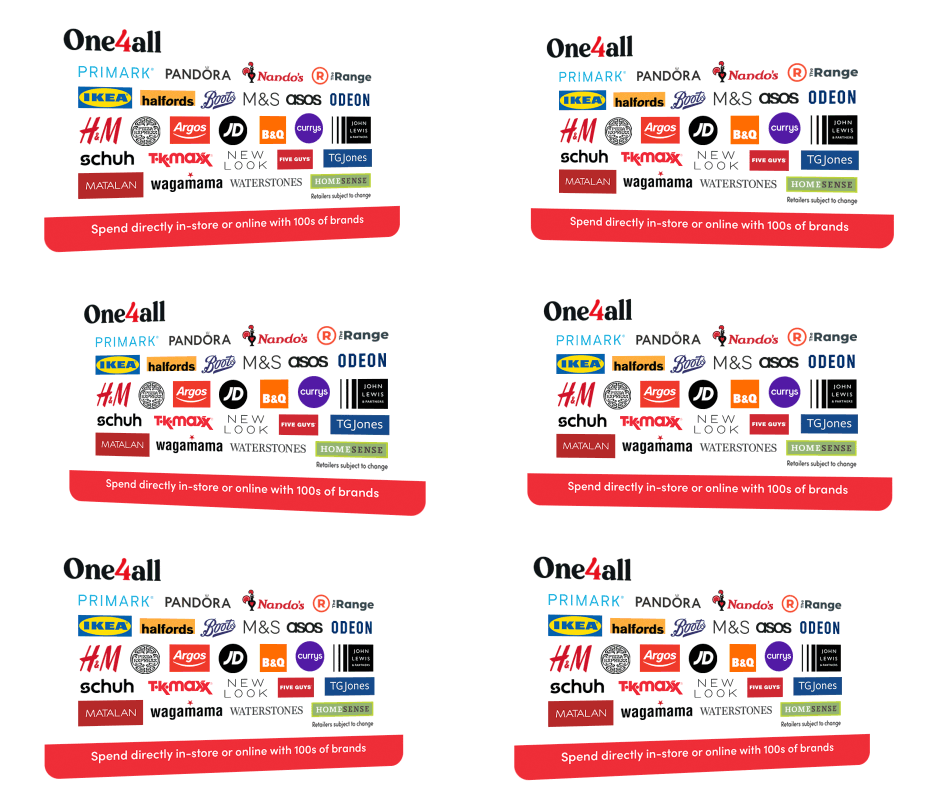
Get a £20 gift card code to redeem for the gift card they want, with 40+ options to choose from - including the One4all Gift Card. T&Cs apply.

Build good money habits. Children can track their spending in the mobile app.

Safety features like 'card freeze' and instant notifications that helps them feel secure and in control.

Interest payments. Earn 1.60% AER, 1.59% Gross p.a. (variable) interest on balances. Interest is calculated daily and paid monthly.

App eligibility criteria and T&Cs apply

Information Message

Contactless debit card for kids & teens

Your child can buy things in shops and online with a teen and kids bank card. They can take money out of a cash machine too.

Apple Pay and Google Pay

If your child is aged 13+, they can pay for things easily using their phone when they're out and about.

Make regular payments

Your child can set up Direct Debits and standing orders to pay regular bills, like a gym membership.

Earn interest on their balance

Your child will earn interest on everything they pay into their Adapt kids bank account.

What do I need to open a bank account for a child?

Our Adapt account is available to children ages 11-17 who are UK residents. To apply online you'll need:

a NatWest current account

your childs details, including proof of ID

time to complete the application together

Ways to prove your child's identity

We'll need your child to have either:

  • A passport
  • A UK full or provisional driving licence
  • A PASS card
  • An ID card from an EU or EEA country.

During the application we'll do a liveness check, a selfie of your child to compare to their photo ID.

Don't have photo ID?

Don’t worry if you’re missing one of the documents we need. Other forms of ID might work for you.

Child aged 16-17?

If your child is 16 or 17 years old, they can apply online for their own Adapt account without needing you to help them.

Get ready to apply

Please take your time to read the product information and make sure this Adapt account is right for you and your child.

Before you apply for our under 18 bank account, we need to check you’re happy with a few things, and ask a few questions up front.

You can apply for an Adapt account if your child:


  • Is aged 11-17 and a UK resident
  • Has a parent or guardian with a NatWest current account

If your child is aged 16-17, they can apply for their own Adapt account.


Now please take a look at the important legal info

Open an Adapt account and get a £20 gift card. See the Terms and Conditions below to learn more.

Information Message

If you carry on applying, it means you're happy with what's in these documents, including the FSCS information sheet. And happy to view your statements in Online Banking - not posted. Please take some time to review, print and/or save the important information.

How your information might be used

It's important for you to understand how we use and share your information. Please read this short summary before you continue with your application.

As part of the checks that we will complete to verify your identity, we’ll take an image of your face so that it can be compared with your photo ID and this biometric data is captured.

All okay? Just a few more steps

We'll just ask a few quick questions to get you started. It should only take a minute.

Please note: If you're currently applying for an Adapt account for one of your children, you'll need to wait until that application is complete before you can apply for another account.

How old are you?
Does your parent or guardian have an account with us?
Do you have any Photo ID?
This is your Photo ID and not your parent or guardian's. It must be in date.

or

Does your parent or guardian have our mobile app?

Great, let’s get you started

We'll ask your parent/guardian to log in to their mobile banking app. They just need to confirm their details and then it's over to you to complete the application. 

Once you’re done, we’ll ask our partners Mitek to do a quick ID check on you.

You’ll need:

  • A Photo ID
    This can be a Passport,  Driving Licence (full or provisional), PASS card, or an ID card from an EU or EEA country.
  • A liveness check
    We’ll ask you to take a selfie to compare you to your Photo ID. You'll need a device with a camera to upload these.

We may also ask for:


Parents or Guardian

We'll ask you to log in to your app and confirm your identity before we launch the application. Check that you've logged out of the app before handing the device back to your child.

Apply using a mobile or tablet

Scan the QR code on the device that your parent or guardian has their app on. You’ll then be able to apply in a flash.

You need our app to continue

Your parent/guardian will need to download and set up the app. It won’t take long to do.

They’ll just need their:

  • Online Banking PIN and password
  • Mobile phone so we can send a one-time passcode
Do you have a UK birth or adoption certificate?
We can use this to identify you
Does your parent or guardian have our mobile app?

Great, let’s get you started

We'll ask your parent or guardian to log in to their mobile banking app. They just need to confirm their details and then it's over to you to complete the application. 

Once you're done, we’ll ask your parent or guardian to either pop into a branch or post us the following info:


Parents or Guardian

We'll ask you to log in to your app and confirm your identity before we launch the application. Check that you've logged out of the app before handing the device back to your child.

Apply using a mobile or tablet

Scan the QR code on the device that your parent or guardian has their app on. You’ll then be able to apply in a flash.

You need our app to continue

Your parent/guardian will need to download and set up the app. It won’t take long to do.

They’ll just need their:

  • Online Banking PIN and password
  • Mobile phone so we can send a one-time passcode

You need ID to open your account online

If you don’t have a Photo ID, we’ll need to see your birth or adoption certificate. You can get a copy of your certificate from:
 

  • England and Wales:
    The General Register Office
  • Scotland: 
    The National Records of Scotland
  • Northern Ireland:
    The General Register Office for Northern Ireland

Your parent/guardian must have a NatWest current account

Oops, we can't go on with your application just yet because we need your parent or guardian to have an account with us. Fancy having them join NatWest? They can check out our account options below. 

After they've opened their account and got their Online Banking sorted, just pop back here to finish off your Adapt account application. 

Eligibility conditions & criteria apply.

Do you have any Photo ID?
Your ID needs to be in date and have your name on it

or

Do you have a proof of address?
It must show your name and address. We can’t accept mobile phone bills or downloaded copies of letters.

or

Great, let’s get you started

Your application will be completely online, as part of our checks we’ll ask our partner Mitek to confirm your identity using:
 

  • Photo ID
    This can be your Passport, a UK Driving Licence (full or provisional), or an ID card or driving licence from an EU or EEA country.
  • A Liveness check
    A selfie to compare to your Photo ID. You'll need a device with a camera to upload these.
  • Proof of your address
    We may need to check your address is right, you can find out which proofs of address we accept (opens in new tab). 
Does your parent or guardian have an account with us?
Does your parent or guardian have our mobile app?

Great, let’s get you started

We'll ask your parent/guardian to log in to their mobile banking app. They just need to confirm their details and then it's over to you to complete the application. 

Once you’re done, we’ll ask our partners Mitek to do a quick ID check on you.

You’ll need:

  • A Photo ID
    This can be a Passport,  Driving Licence (full or provisional), PASS card, or an ID card from an EU or EEA country.
  • A liveness check
    We’ll ask you to take a selfie to compare you to your Photo ID. You'll need a device with a camera to upload these.

We may also ask for:


Parents or Guardian

We'll ask you to log in to your app and confirm your identity before we launch the application. Check that you've logged out of the app before handing the device back to your child.

Apply using a mobile or tablet

Scan the QR code on the device that your parent or guardian has their app on. You’ll then be able to apply in a flash.

You need our app to continue

Your parent/guardian will need to download and set up the app. It won’t take long to do.

They’ll just need their:

  • Online Banking PIN and password
  • Mobile phone so we can send a one-time passcode

You must prove your address and identity

Sorry, you can't apply for an account because we need you to prove your identity and address. 

No worries if you can't do this. You can apply with a parent/guardian if they have a NatWest current account. 

If they don't have one yet, follow the link below to show them our current account range. 

Once they've applied, got their welcome email and their Online Banking details, come back here to continue your account application. Simple!

Eligibility criteria & conditions apply. 

Does your parent or guardian have an account with us?
Do you have a UK birth or adoption certificate?
We can use this to identify you
Does your parent or guardian have our mobile app?

Great, let’s get you started

We'll ask your parent or guardian to log in to their mobile banking app. They just need to confirm their details and then it's over to you to complete the application. 

Once you're done, we’ll ask your parent or guardian to either pop into a branch or post us the following info:


Parents or Guardian

We'll ask you to log in to your app and confirm your identity before we launch the application. Check that you've logged out of the app before handing the device back to your child.

Apply using a mobile or tablet

Scan the QR code on the device that your parent or guardian has their app on. You’ll then be able to apply in a flash.

You need our app to continue

Your parent/guardian will need to download and set up the app. It won’t take long to do.

They’ll just need their:

  • Online Banking PIN and password
  • Mobile phone so we can send a one-time passcode

You need ID to open your account online

If you don’t have a Photo ID, we’ll need to see your birth or adoption certificate. You can get a copy of your certificate from:
 

  • England and Wales:
    The General Register Office
  • Scotland: 
    The National Records of Scotland
  • Northern Ireland:
    The General Register Office for Northern Ireland

You must prove your address and identity

Sorry, you can't apply for an account because we need you to prove your identity and address. 

No worries if you can't do this. You can apply with a parent/guardian if they have a NatWest current account. 

If they don't have one yet, follow the link below to show them our current account range. 

Once they've applied, got their welcome email and their Online Banking details, come back here to continue your account application. Simple!

Eligibility criteria & conditions apply. 

FAQs about the Adapt kids' bank account

The bank for all ages

Information Message

Eligibility criteria, fees and charges may apply.

Children

Rooster Money

The pocket money app and card that gets children aged 6-17 comfortable with money (while you're still in control).

Information Message

Teens

Adapt account

Build financial independence for kids aged 11-17 with a kids and teens bank account that earns interest.

Information Message

Adults

Current accounts

Watch them soar as they graduate to their adult accounts and make important financial decisions.

Information Message