

On this page
Overlay
MyRewards Terms and Conditions
We do our best to ensure everyone is aware of their account terms and conditions, please take some time to review, print and/or save a copy of these.
MyRewards exclusions
Log in to access your Rewards
Check your Rewards balance, browse our latest partner offers, and exchange your Rewards


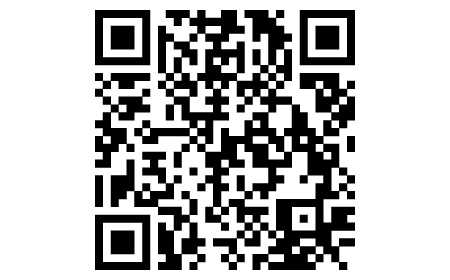
Accessing MyRewards is easy
- On your mobile or tablet, open the camera and point your device at the QR code
- A link will pop up, tap this, and you’ll be taken straight to MyRewards in your NatWest mobile banking app
- If the QR code is not working for you, use this MyRewards link to get into your app
- Or you can log in using Online Banking and use the MyRewards section to access MyRewards
QR code not working?
You can download the app and get into MyRewards by following these instructions:
- On your mobile or tablet, go to the App Store if using Apple or Google Play if using Android
- Search for 'NatWest Mobile Banking'
- Tap to download the app
App available to customers aged 11+ with compatible iOS and Android devices and a UK or international mobile number in specific countries.
Accessing MyRewards is easy
- On your mobile or tablet, open the camera and point your device at the QR code
- A link will pop up, tap this, and you’ll be taken straight to MyRewards in your NatWest mobile banking app
- If the QR code is not working for you, use this MyRewards link to get into your app
- Or you can log in using Online Banking and use the MyRewards section to access MyRewards
App available to customers aged 11+ with compatible iOS and Android devices and a UK or international mobile number in specific countries
QR code not working?
You can still download the app and get into MyRewards by following these instructions:
- On your mobile or tablet, go to the Google Play store
- Search for 'NatWest Mobile Banking'
- Tap to download the app
Accessing MyRewards is easy
- On your mobile or tablet, open the camera and point your device at the QR code
- A link will pop up, tap this, and you’ll be taken straight to MyRewards in your NatWest mobile banking app
- If the QR code is not working for you, use this MyRewards link to get into your app
- Or you can log in using Online Banking and use the MyRewards section to access MyRewards
App available to customers aged 11+ with compatible iOS and Android devices and a UK or international mobile number in specific countries

QR code not working?
You can still download the app and get into MyRewards by following these instructions:
- On your mobile or tablet, go to the App Store
- Search for 'NatWest Mobile Banking'
- Tap to download the app