Overlay
No monthly fee bank account

Open our everyday current account

You could get our Switch and Save offer with our Select account. Offer T&Cs and restrictions apply.

Logo for Current Account Switch Service Guarantee

You must be 18+ and a UK resident to apply for our Select account. App available to Online Banking customers with compatible iOS and Android devices and a UK or international mobile number in specific countries.

Switch & Save: Unlock our Limited Edition Saver account when you switch to NatWest

Apply online or via our mobile app to switch your current account held elsewhere into an eligible Select or Reward account by 6 January 2026.
 

Use the Current Account Switch Service and you could unlock our 12 month Limited Edition Saver account which offers fixed bonus interest rates on balances over £50,000.

Offer available to new and existing customers who do not hold a NatWest current account or savings account as of 18 November 2025.

Limited Edition Saver interest rates

AER / Gross p.a. (variable)
 

4.00% / 3.97% 
Balances between £100k - £3m

(includes 2.25% / 2.23% AER / Gross p.a. (fixed) 12 month bonus).
 

3.25% / 3.20%
Balances between £50k - £99,999

(includes 1.50% / 1.49% AER / Gross p.a. (fixed) 12 month bonus).
 

1.06% / 1.05%
Balances up to £49,999

Information Message

1. Switch to us

Open a current account with us  

Apply for an eligible Select or Reward account and request to switch your bank account to us using the Current Account Switch Service by 06 January 2026.

Your switch to us must be completed by 21 January 2026.

Information Message

2. Switch complete

Wait to receive the offer email from us

Once your switch to us is complete, we'll send you an email with a link to open a Limited Edition Saver account. This will arrive between 02 December and 21 January 2026.

You'll have until 23 January 2026 to apply for a Limited Edition Saver via our mobile app.

Information Message

3. You're all set

Fund your account
Once you've opened your Limited Edition Saver and funded your account, you'll immediately start benefiting from the interest rates.

Information Message

Information Message

Specific account eligibility criteria & conditions apply. Monthly account fees may apply. Offer T&Cs and restrictions apply. Offer can be withdrawn or amended at any time due to limited availability. If you previously held a NatWest current account or savings account, you may still qualify, provided you did not hold one as of 18 November 2025. You are not eligible for this offer if you're switching a current account from NatWest Group (Royal Bank or Ulster Bank NI). Joint accounts are not eligible for this offer.

What happens when you switch?

Step 1

We'll send a request to your old bank to confirm the switch and we'll keep you updated every step of the way.

Step 2

Your old account will be closed on your behalf. Your balance and payments (like Direct Debits) will be moved to your NatWest account. 

Step 3

The switch is complete. Once you've met our switch offer eligibility criteria, you'll get an email to open your Limited Edition Saver account. This will arrive between 02 December 2025 and 21 January 2026. 

YourMoney.com award. NatWest voted best everyday current account provider in 2024

Our award-winning everyday bank account

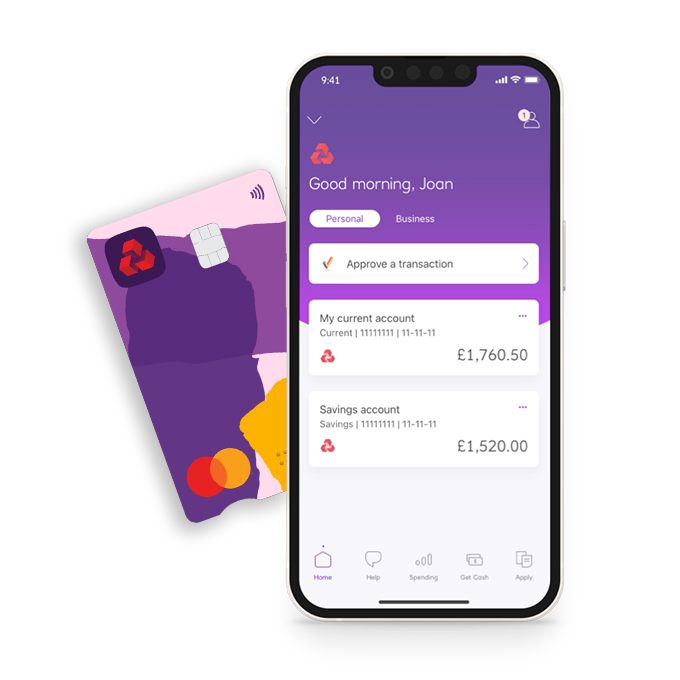
Our Select basic current account helps you manage your money easily, all in one place.

It’s award-winning too:

  • YourMoney.com voted NatWest ‘Best everyday current account provider’ in 2024.
  • This everyday bank account was given 5 stars by the Defaqto experts in 2025. 
everyday bank account

Why choose our everyday current account?

  • Fee-free current account. There's no monthly account fee for this standard bank account.
  • Fraud refund promise. We refund any money paid out of your Select account by a fraudster if you bank online or via the app (if you've kept your security information safe).
  • Get a short-term overdraft if you meet the eligibility criteria. You can explore this option when you apply for a current account.

Simple everyday banking with NatWest
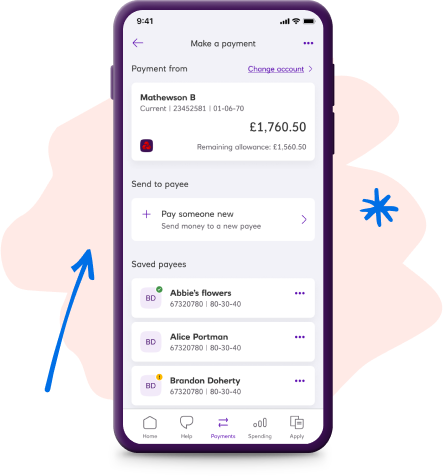
Managing your money is a breeze with NatWest's highly rated app.

We're here for you, whether you need support at 3pm or 3am.
Sometimes nothing beats that human touch. Chat to us face-to-face over video (criteria applies) or in branch.

Join 11 million customers on our mobile app

Information Message

Eligibility criteria and conditions apply. Volume of app customers correct as of May 2025.

white icon person

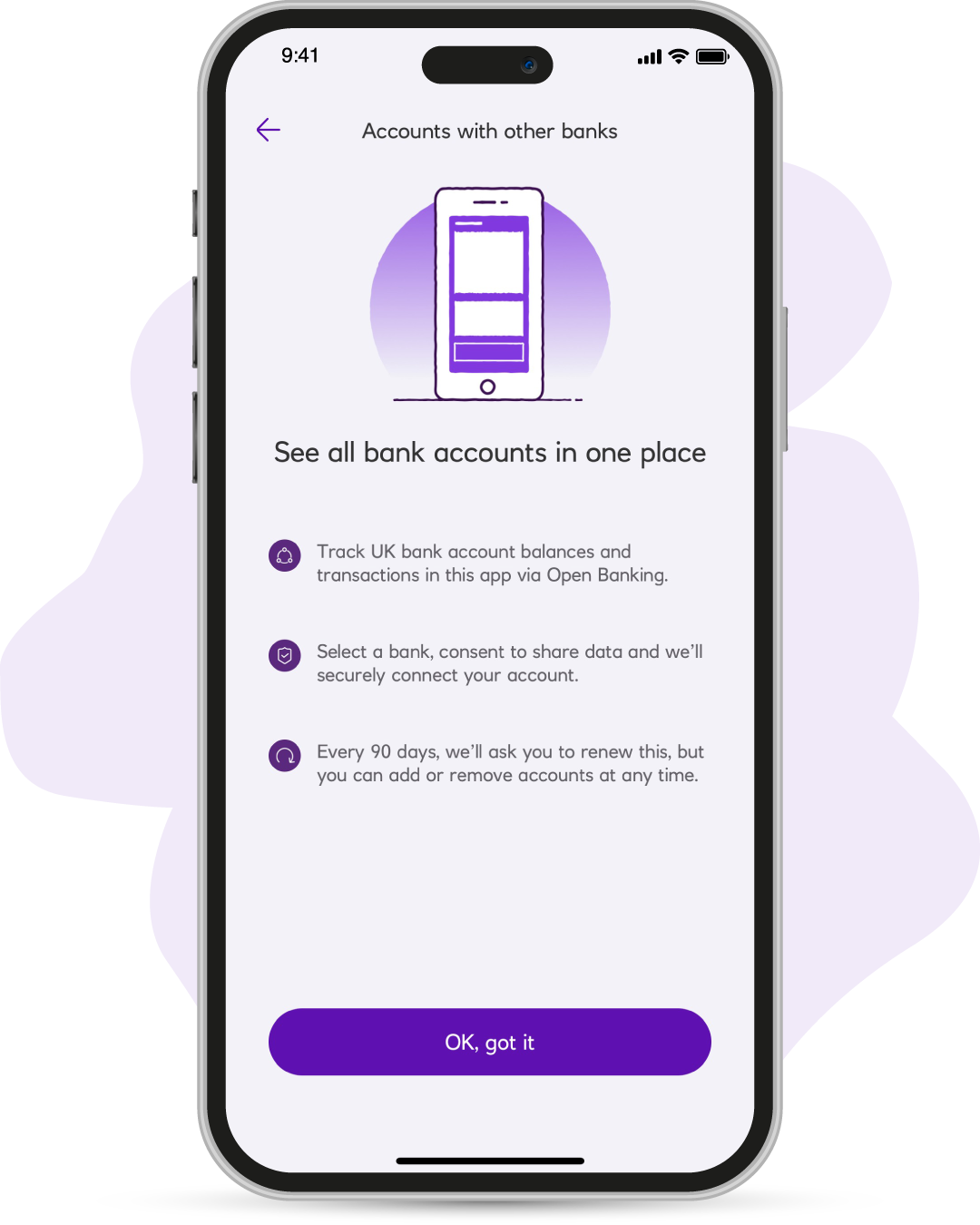
Add other accounts

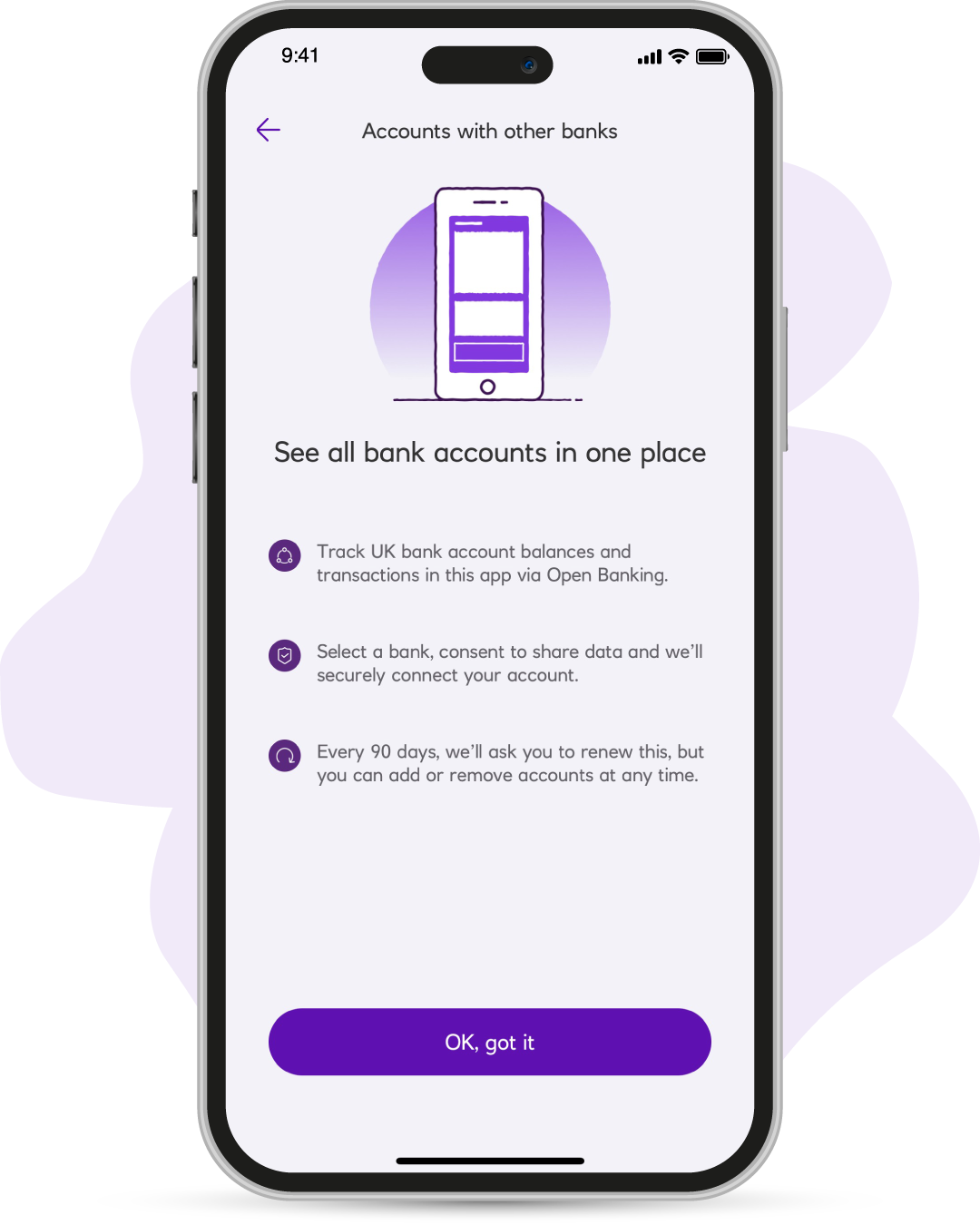
Add your accounts from other banks, so that you can see all of your money together in one place.

padlock icon

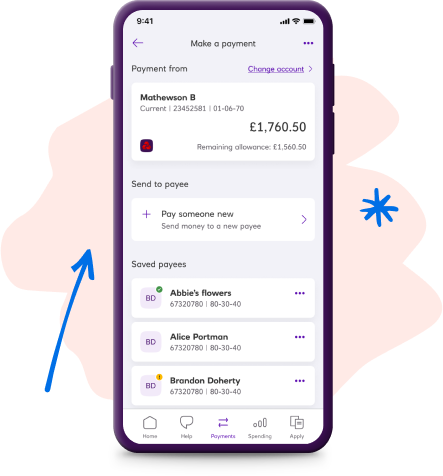
Favourite payees

Are there people you pay again and again? Put them in your favourite payees so you can send money faster.

white hand icon

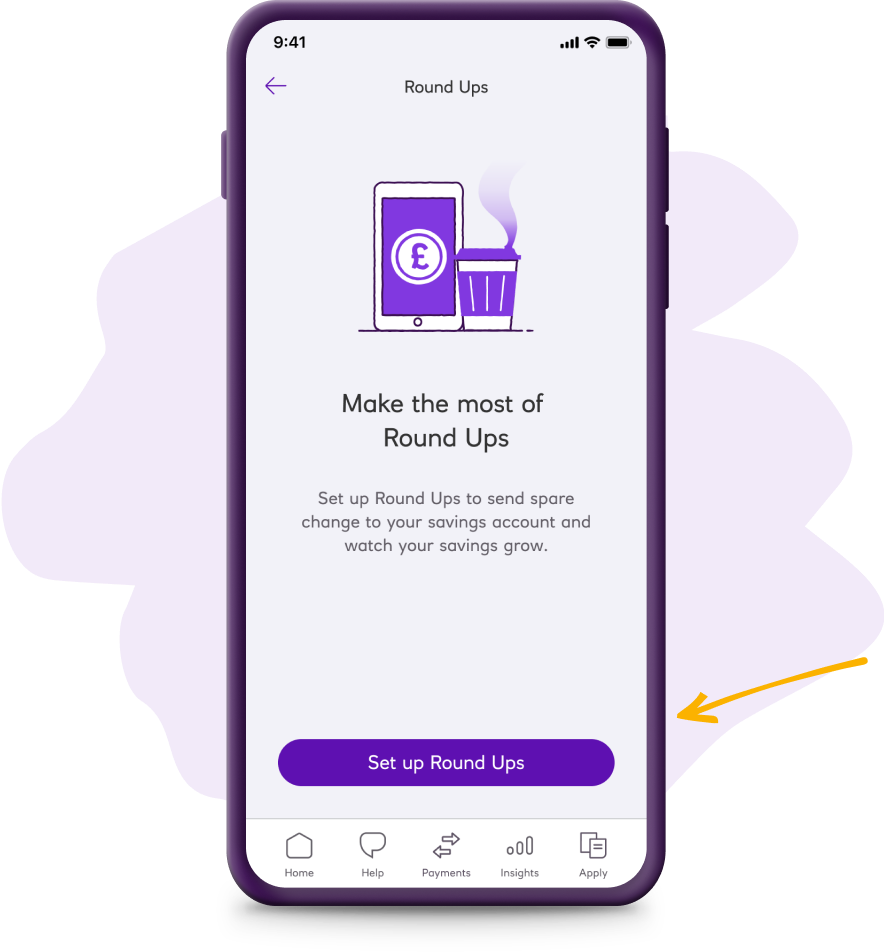
Round Ups

Round up your spending to the nearest £, sending the change (or up to five times that) to your savings.

white card icon

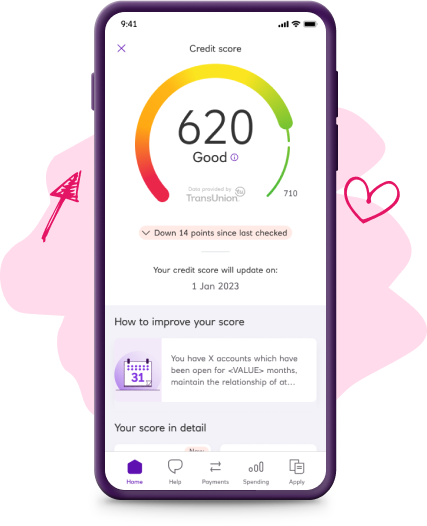
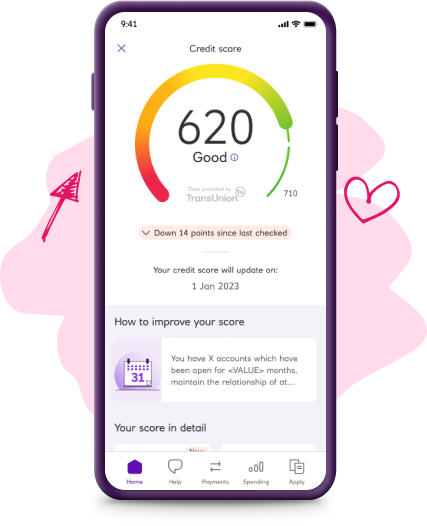
Free credit score

Check your credit score for free in the app, so you know where you stand. Data provided by TransUnion.
How to open a Select bank account online

It's simple to apply for a bank account online with NatWest. And you could get an instant decision. Here's how to get started:

  1. Check your eligibility
    Our Select account is for UK residents aged 18+. 
  2. Gather your details
    We might need to verify your identity when opening a bank account online. We'll do this by matching your photo ID to a selfie of you. You’ll need a device with a camera to upload these. We might also ask for other information like proof of address. If you don’t have your ID to hand, you can finish this step later.
  3. Open your bank account online 
    Got everything you'll need? You're now ready to apply for a current account online.

Explore your overdraft options

An overdraft is a way of borrowing money from us via your current account and is repayable on demand. If you don't repay what is owed, you could harm your credit score and borrowing capability.

Get ready to apply

Please take your time to read the product information and make sure this Select account is right for you.

Before you apply for a bank account with us, we need to check you're happy with a few things. And ask you a few questions up front. Then we can make your application as quick and simple as it can be.

First things first. You can apply if you:

Are aged 18 or over and a UK resident
 

Now please take a look at the important legal info

Information Message

If you carry on applying, it means you're happy with what's in these documents, including the FSCS information sheet. And happy to view your statements in Online Banking - not posted. Please take some time to review, print and/or save the important information.

How your information might be used

It's important for you to understand how we use and share your information. Please read this short summary before you continue with your application.

As part of the checks that we will complete to verify your identity, we’ll take an image of your face so that it can be compared with your photo ID and this biometric data is captured.

All okay? Apply for a bank account online today.

To speed up your application for our Select account, we need to do a few final checks with you. They'll only take a minute.

Do we already know you?
If you have a current account, credit card, loan or savings account with NatWest please let us know.

You're all set

  1. We’ll get to know you better by asking a few questions.
  2. To make sure it’s really you applying, our partner Mitek will check your identity by matching your Photo ID to a selfie of you. You’ll need a device with a camera to do this step. Your Photo ID must be a passport, UK/EU/EEA Driving Licence or EU/EEA National ID card. If you don’t have your ID to hand you can finish this step later.
  3. We may also ask for proof of address, for example a bank statement or utility bill. To see a full list of documents we accept, visit our support page.
  4. Once we’ve confirmed your identity, your new account will be activated.

Please note, a partial switch does not qualify for any switch incentives we may offer. 

Do you have our app on a mobile device?
You can apply using either the mobile app or online banking. The mobile app is easier and quicker as we can prefill some of your information.

Here's a few steps to get started

If you're already using a device with the NatWest app, select the 'Start application' button below.

You will need the most up to date version of the app, to make changes to your account. 

To open a new account: 

  1. Once logged in to the app, choose 'Apply' and then current accounts. 
  2. Then choose what type of account you would like to open.

To change your account type or switch into your existing account: 

  1. Once logged in, click into the account you wish to change or switch.
  2. Choose either the 'Change my account type' or 'Switch my account' option. 

Can't scan the QR code?


Do you have NatWest Online Banking?

Log in to Online Banking

  1. Enter your customer number or 16-digit card number to get started. 
  2. You'll then need to enter your Online Banking pin and password.
  3. Once you're logged in follow the below

To open a new account:

  1. Select 'Current accounts' from 'Our Products'. 
  2. Choose the account you want to apply for and complete your application.

To change to a different account type or to switch into your existing account: 

  1. Choose the account you wish to change or switch, click 'Account details'. Then choose either the 'Switch to us form' or review the section 'Want to change to a different type of current account?' to begin your application. 

Sign up for Online Banking

You’ll need to sign up for Online Banking with us to apply for a current account. The good news is that it normally takes only 5 minutes and all you’ll need is your sort code, account number and your NatWest Debit Card, if you have one.

Select ‘How to register for Online Banking' to start.  

Once you’ve registered, select ‘I am now signed up’ to log in and apply for a Select account. 

Log in to NatWest Online Banking

  1. Enter your customer number or 16-digit card number to get started. 
  2. You'll then need to enter your Online Banking pin and password.
  3. Once you're logged in follow the below

To open a new account:

  1. Select 'Current accounts' from 'Our Products'. 
  2. Choose the account you want to apply for and complete your application.

To change to a different account type or to switch into your existing account: 

  1. Choose the account you wish to change or switch, click 'Account details'. Then choose either the 'Switch to us form' or review the section 'Want to change to a different type of current account?' to begin your application. 

Forgotten your Online Banking Details?

If you've forgotten your log in details, don't worry, select 'Reset my Online Banking' for further instructions. 

How to download and apply via the app

First, download the app:

  1. On your mobile or tablet, open the camera and point your device at the QR code.
  2. Follow the link that pops up to download the app.
  3. Use your details to log in and follow the below.

To open a new account:

  1. Once logged in to the app, choose 'Apply' and then 'Current accounts'. 
  2. Then choose what type of account you would like to open.

To change to a different account type or to switch into your existing account:

  1. Click into the account you wish to change or switch, then select 'Change my account type' or 'Switch my account' to begin your application.

Can't scan the QR code?

Available on selected devices.

Thinking about a joint bank account?

You can add someone to your account at any time or open a fresh account and include them later. It's simple and flexible.

Our Select, Reward, Premier Select or Premier Reward accounts let you add a second account holder.
Select basic bank account - FAQs