Overlay
Open a joint current account

Joint bank accounts
current account switch service guarantee logo

To add a joint party to an account, you must both be 18+ and a UK resident. Specific account criteria and eligibility apply.

An easier way for two people to manage money

Sharing a bank account with your partner or friends can make it easier to take care of shared expenses and bills. 

A joint account still lets you do all the things you can do with a sole account, but you’ll share control and responsibility with someone else. 

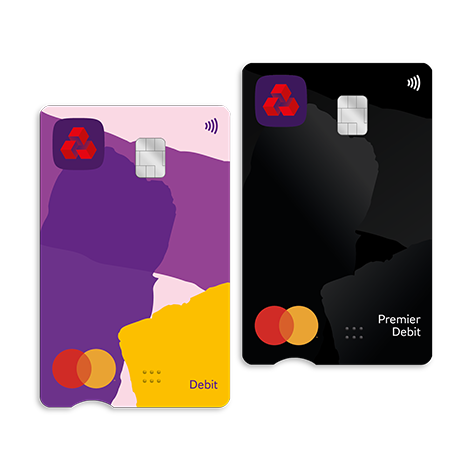
Once you’ve added someone to your account, you’ll both get a contactless bank card and access to the joint account on our mobile app and Online Banking.

Choose the best joint bank account for you

Our Select, Reward, Premier Select, and Premier Reward accounts allow you to add a second account holder. You can either add them to an existing account or open a new account and add them later.

If you hold a Reward Silver, Reward Platinum, or Premier Reward Black account, you also have the option to add a second account holder, provided they already have an account with us.

Select account

Our basic current account

Our Select account is a basic bank account that gives you everything you need for your day-to-day banking needs:

  • Monthly fee free banking.
  • Take care of your bank account on the go with our mobile app and Online Banking. Criteria apply. 
  • Pay however you like with Apple Pay, Google Pay™ and contactless. Limits apply. 

To apply, you need to be 18+ and a UK resident.

Information Message

Reward account

Earn money back in Rewards

With the Reward bank account, for a £2 fee, you could:

  • Earn up to £5 a month back in Rewards.
  • Redeem Rewards as money back into your account or trade them up for e-gift codes with our partners.
  • Even donate your Rewards to charity if you like.

To apply, you need to be 18 or over and a UK resident. To hold this account, you need to pay £1,250 into an eligible NatWest account every month. To earn £5 rewards, you earn £4 a month back in rewards for two or more Direct Debits (at least £2 each) and an additional £1 a month back in rewards with one mobile app log in. If you have an existing Select account you’ll need to covert it to Reward.

Information Message

How to open a joint bank account

You have two options for opening a joint account. You can either add the person to an existing account or open a new account and add them later. To find the best option for adding someone to your account, please use the filters provided below.

Switch to us and you could get £175

Apply online or through our mobile app to switch your current account held elsewhere into an eligible Select or Reward account. Use the Current Account Switch Service and you could receive £175.

£175 Switch offer with current account switch service guarantee logo

1. Switch to us

Don't have a current account with us?  

Simply open an eligible Select or Reward account and switch your bank account to us using the Current Account Switch Service.

Information Message

2. Within 60 days of switching

Pay in £1,250

This can be made of multiple payments and must remain in the account for 24 hours.


Log in to our mobile app

This can be done on any device that supports the NatWest mobile banking app.

Information Message

3. You're all set

When you've met these conditions, we'll pay £175 into your eligible account within 30 days, provided that your account stays open. 

Information Message

Information Message

Specific account eligibility criteria & conditions apply. Monthly account fees may apply. Offers can be withdrawn or amended at any time due to limited availability. Offers T&Cs and restrictions apply. You are not eligible for these offers if you already have a current account with NatWest, if you're switching a current account from NatWest Group (Royal Bank or Ulster Bank NI), or if you've received a switch incentive from NatWest Group before.

Why bank with NatWest?

Here 24/7

You can talk to us wherever and whenever you choose using Video Banking. This 24/7 service can help you keep on top of your goals with a free Financial Health Check.
Boost your financial wellbeing

Whether you’re on top of your finances or you feel like you’re burying your head in the sand, we’re here to help via our app and in person.
Security matters to us

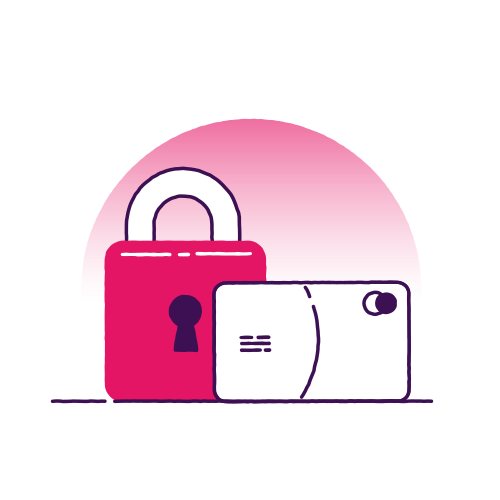
Security is important to us. That’s why we give you the option of being able to lock and unlock your debit card. If you or the other joint account holder misplaces a card, you can easily keep your finances safe until you find it.

All on the app

This is all done via the NatWest mobile app. This tool is helpful to manage your joint account and stay in control of your finances on the go.

Common questions about joint bank accounts

£175 Switch offer FAQs

How your information might be used

It's important for you to understand how we use and share your information. Please read this short summary before you continue with your application.

As part of the checks that we will complete to verify your identity, we’ll take an image of your face so that it can be compared with your photo ID and this biometric data is captured.

Get ready to add or remove someone

To speed up your application, we’ll need to do a few final checks with you. They'll only take a minute.

  • If you’re adding someone to your account, they’ll need to be aged 18+ and a UK resident.
  • If you’re removing someone from an account, you’ll need to make sure you have their permission. 

Please note that it's not possible to add someone to our Savings, Student, Adapt, Select Silver, Select Platinum or Black accounts, or bank accounts that use "Travel account".

Are you adding or removing someone from your account?
Which account are you adding the person to?
Are they also a NatWest customer?
Do you have our mobile app?
Let us know if you have our mobile app on the device you're using right now.

You're all set

Adding someone to your account is a big change. Before you commit, take time to think about the following:

  • Adding someone to your account will change it into a joint account.
  • You’ll both share responsibility for the joint account and any money in it.
  • Once added, you’ll need the other person’s permission to remove them from the account.

What you’ll need

You’ll need the full name, date of birth and postcode of the person you’re adding.

You'll need our app to continue

To add someone to your account, you’ll need to use our mobile app.

It won’t take long to download and get set up.

You just need:

  • Your Online Banking PIN and password.
  • Your mobile phone to get your one-time passcode.

Apply using your mobile device

Scan the QR code on your mobile device that you’ve got the app on. You’ll then be able to apply in a flash.

Set up a Customer Profile for the person you’re adding

Before we can add someone to your account, we need to get some info from them and check their identity. 

They can do this by creating a Customer Profile. You can find out more by visiting our Customer Profiles page. 

Are they also a NatWest customer?
Do you have our mobile app?
Let us know if you have our mobile app on the device you're using right now.

Ready to make your account joint?

You can apply quickly and securely through the NatWest mobile app.

When you're ready, just tap ‘Start application’ and follow these steps:

  1. Log in to the app and select the account you’d like to make joint.
  2. Scroll down and tap ‘Account settings’.
  3. Choose ‘Add a person’ to begin your application.

You'll need our app to continue

To add someone to your account, you’ll need to use our mobile app.

It won’t take long to download and get set up.

You just need:

  • Your Online Banking PIN and password.
  • Your mobile phone to get your one-time passcode.

Ready to make your account joint?

Scan the QR Code:

  1. Open the camera app on the device where you have the NatWest mobile app installed.
  2. Point the camera at the QR code on screen and tap the banner that appears to open the NatWest app.
  3. Log in to the app, then select the account you’d like to make joint.
  4. Scroll down and tap ‘Account settings’.
  5. Select ‘Add a person’ to start your application.

The person being added must also be a NatWest customer

To add someone to your Reward Silver, Reward Platinum, or Premier Reward Black account as a joint account holder, they must be a NatWest customer.

If they don’t already bank with us, they’ll need to open a NatWest account first. Once that’s done, you can come back and add them as a joint account holder.

For more information on our current and savings account options, please visit our website.

We need to know which type of account you want to add someone to

You can check your account type using Online Banking or our mobile app.

You can only add someone to the following account types:

  • Select and Reward (including Premier)
  • Foundation
  • Reward Silver, Reward Platinum, or Premier Reward Black


Have a different type of account?

Unfortunately, we can’t add someone to certain account types, including our Savings, Student, Adapt, Select Silver, Select Platinum or Black accounts.

You're all set

What you’ll need:

  • You will need to have access to our mobile app.
  • The person you're removing will also need to have access to our mobile app to complete the request. 

To start your request click 'Continue' and choose the option to 'Remove an account holder'.